Attendance System
 Access Control
 Door Security
 Turnstile & Entrance Control
 Security Inspection
 Parking Management
 Safety Products
 Software
 Other
How the eHajira App Helps Employees Manage Their Daily Work in Bangladesh
October 27, 2026
How the eHajira App Helps Employees Manage Their Daily Work in Bangladesh
Employees manage many small but important activities throughout a working week. They check assigned tasks, follow schedules, request leave, report fieldwork and review salary information. When each activity depends on a different paper form, message or phone call, employees and managers can spend unnecessary time finding updates.
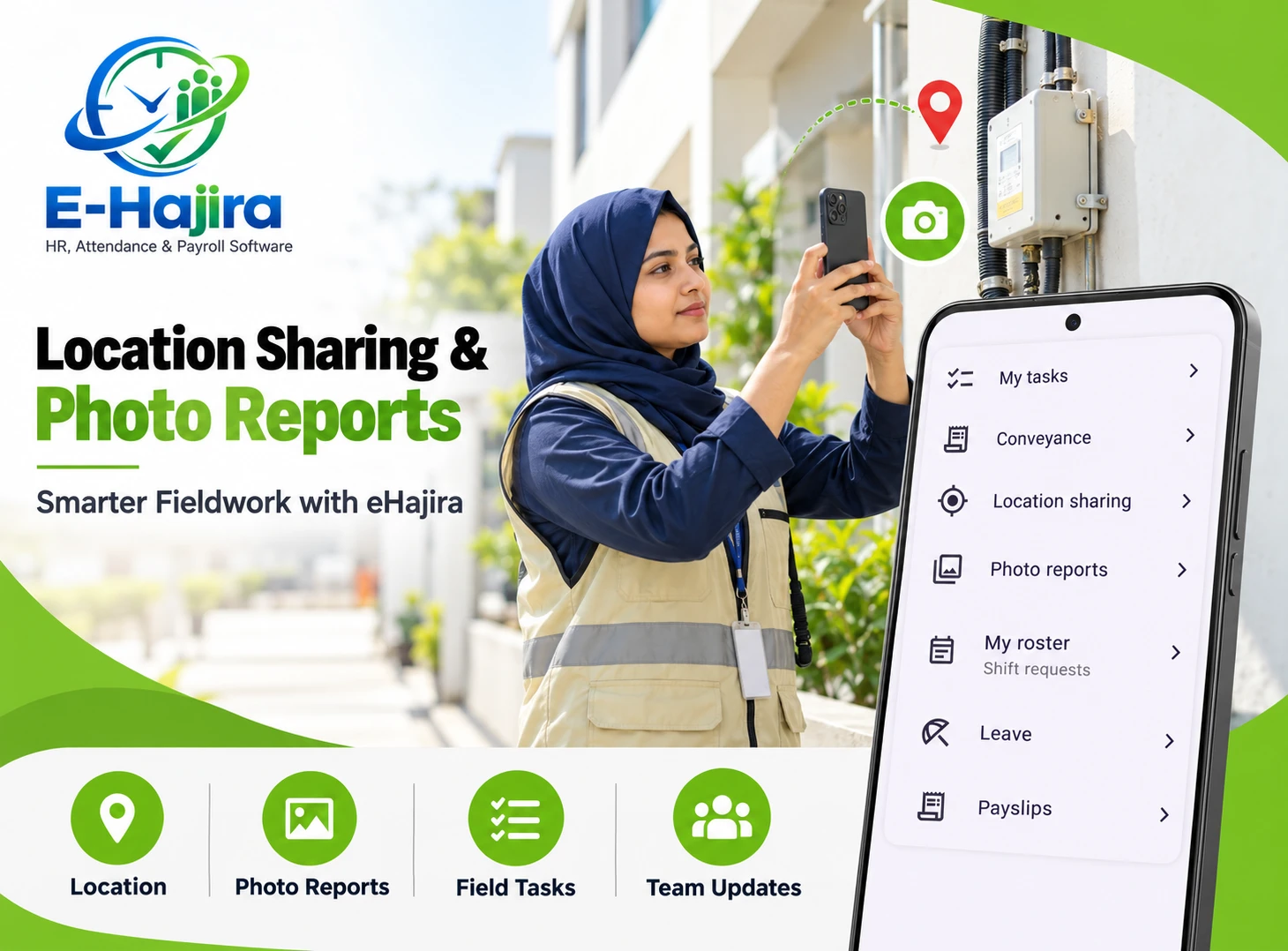
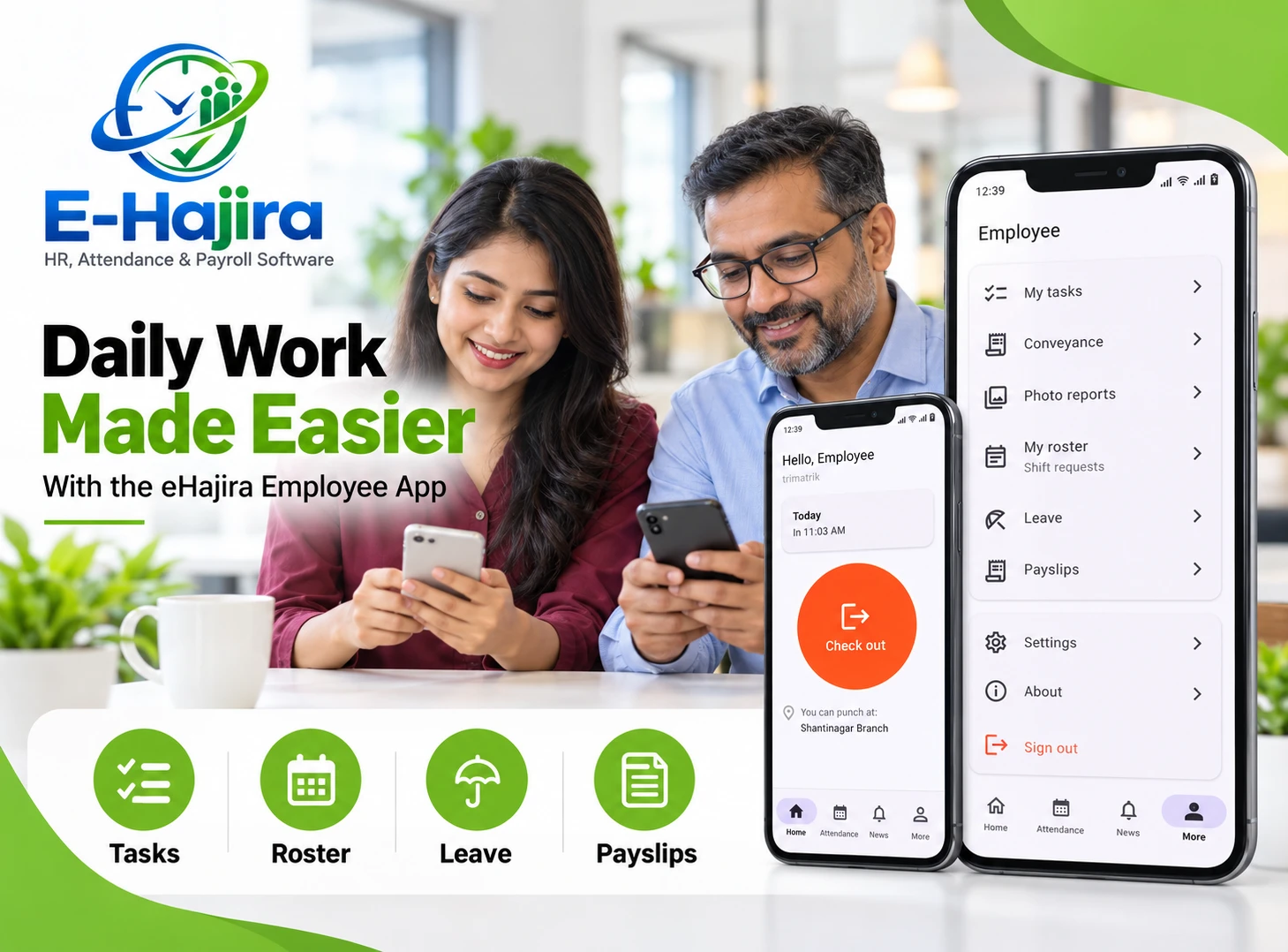
The eHajira employee app brings several of these activities into a mobile experience. The app screen shared for this article shows options for My Tasks, Conveyance, Location Sharing, Photo Reports, My Roster, Leave and Payslips. Together, these options give employees an organized starting point for handling work-related information from their phones.
eHajira’s published materials also describe employee self-service, attendance, leave management, shift scheduling and payroll functions. Some packages list an Android and iOS mobile app with GPS-based or geo-fenced check-in. The features available to an employee depend on the organization’s selected package, configuration and access permissions.
For businesses in Bangladesh, the value is practical: employees can find relevant information and follow established processes more consistently, while HR and managers receive information in a more organized form.
What Is Employee Self-Service?
Employee self-service allows staff members to handle selected work and HR activities directly through an authorized digital account. Instead of contacting HR for every routine question, an employee can use the available options to find information or submit a request.
The eHajira screen shared by the user illustrates this approach through separate options for work tasks, travel-related information, location, reports, schedules, leave and payslips. Each menu represents a different part of an employee’s working life.
Self-service works best when the organization explains how each option relates to its policies. Employees need to know which requests require approval, when information should be submitted and whom to contact if a record appears incorrect.
Why a Mobile Employee App Matters in Bangladesh
Employees in Bangladesh work in a wide range of environments. Some spend most of their time at an office desk, while others visit customers, travel between branches or work on rotating shifts. A single paper-based process may not be convenient for all of them.
For example, a field employee travelling between Dhaka and nearby service locations may need a clear way to communicate work progress. A retail employee may need to know their next shift before travelling to the branch. An office employee may want to check a payslip without requesting a printed copy.
eHajira is presented as an HR, attendance and payroll solution for different organizational needs. Its published package descriptions include mobile access, attendance, leave and shift functions, although the exact combination varies by package.
My Tasks: Organizing Daily Responsibilities
The My Tasks option gives employees a dedicated place in the app to access work tasks. This can help make the day’s responsibilities easier to find and discuss with a supervisor.
Consider an employee who needs to visit a customer, review a service issue and report back to a manager. Having a task-related area in the employee app supports a more organized conversation about what the work involves and what has been completed.
The screenshot confirms the presence of the menu, but it does not show its internal fields or workflow. Organizations should establish how tasks are assigned, what information employees can update and how managers review progress in their configured version.
Clear task descriptions remain important. A digital task is most useful when the employee understands the expected outcome and the person to contact for clarification.
Conveyance: Keeping Work-Related Travel Organized
The app includes a Conveyance option, making travel-related activity part of the employee experience. This is relevant for employees who travel to customer sites, branch offices or other approved work locations.
A business can define a consistent process for explaining the purpose of a journey and providing the information needed for review. For instance, a field representative may need to explain why a trip was made and how it relates to assigned work.
The screenshot does not establish the exact conveyance form, receipt-upload options, calculation rules or approval steps. Those details should be confirmed in the organization’s deployment.
The practical benefit comes from combining a clear company policy with a recognizable place for employees to handle the activity.
Location Sharing for Field Coordination
The Location Sharing menu addresses a common operational need: helping an employee communicate their location when it is relevant to work. This may be useful for field service, delivery coordination or visits between branches.
A location-related workflow can help a manager understand where an employee is carrying out an assigned activity. The employee can also use the organization’s agreed process to communicate location when support is needed.
Location sharing should be introduced with clear expectations. Employees need to know when sharing is requested, who can access the information and how it relates to their responsibilities.
The screenshot identifies the feature but does not establish continuous tracking, automatic sharing intervals or the precise retention period. Those details depend on the implemented settings and organizational policy.
Photo Reports for Fieldwork and Operational Updates
The Photo Reports option provides a recognizable area for photo-based reporting. For organizations with field teams, images can help communicate the condition of a site, the progress of a service visit or an issue that needs review.
For example, a technician visiting a customer location may need to show a supervisor the equipment involved in a task. A photo can add context that is difficult to communicate through a short message alone.
The specific workflow should define what employees are expected to photograph, how they should describe the work and who will review the report. The screenshot does not confirm file limits, automatic timestamps or approval functionality.
A photo report is most useful when it is relevant, clear and connected to an understandable work purpose.
My Roster and Shift Requests
The My Roster option, shown with the label Shift requests, brings scheduling information into the employee app experience. This is especially useful for businesses with changing shifts, such as retail outlets, manufacturing operations, hospitals and hospitality teams.
Employees need to know when and where they are expected to work. When a schedule changes, clear communication helps them prepare and helps managers avoid misunderstandings.
eHajira’s published corporate package descriptions include shift and roster management. The screenshot also shows a shift-request entry point for employees.
A request should be understood as a request until the organization approves it. Employees should follow the confirmed schedule and use the company’s normal escalation process when a proposed change is urgent.
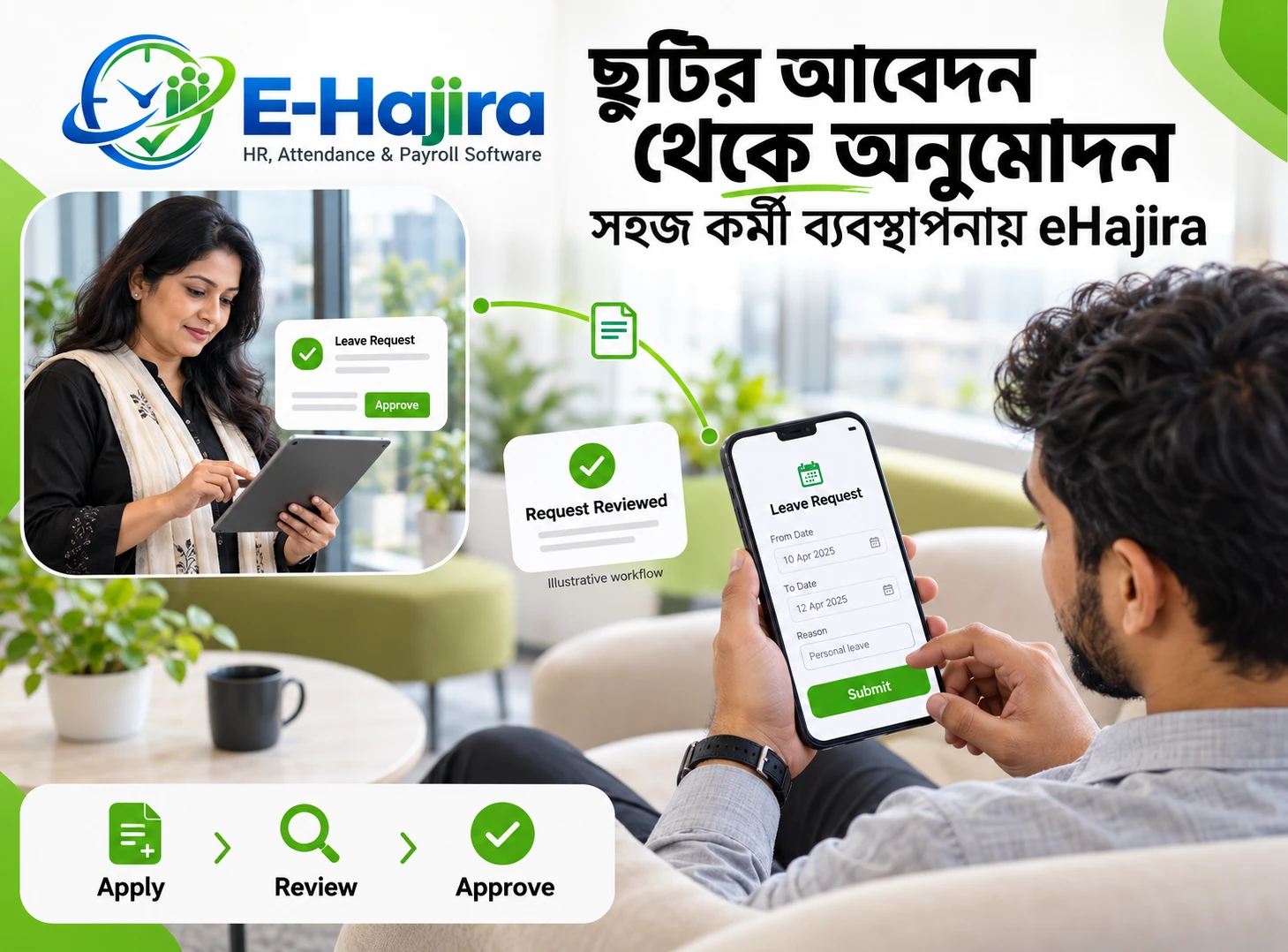
Leave Requests and Everyday Planning
Leave is one of the most common interactions between an employee and HR. An employee may need to request time off, understand the relevant policy and know whether the request has been reviewed.
The eHajira screen includes a Leave option, while the provider describes a leave application and approval workflow. Published product information also describes employees accessing leave balances through self-service.
A consistent process helps both sides. Employees can provide the necessary details through the available workflow, and managers can review requests in the context of staffing needs.
The organization should explain which leave categories apply, who reviews requests and what employees should do when a manager is unavailable. Access to a menu does not by itself determine leave eligibility.
Payslips: Making Salary Information Easier to Review
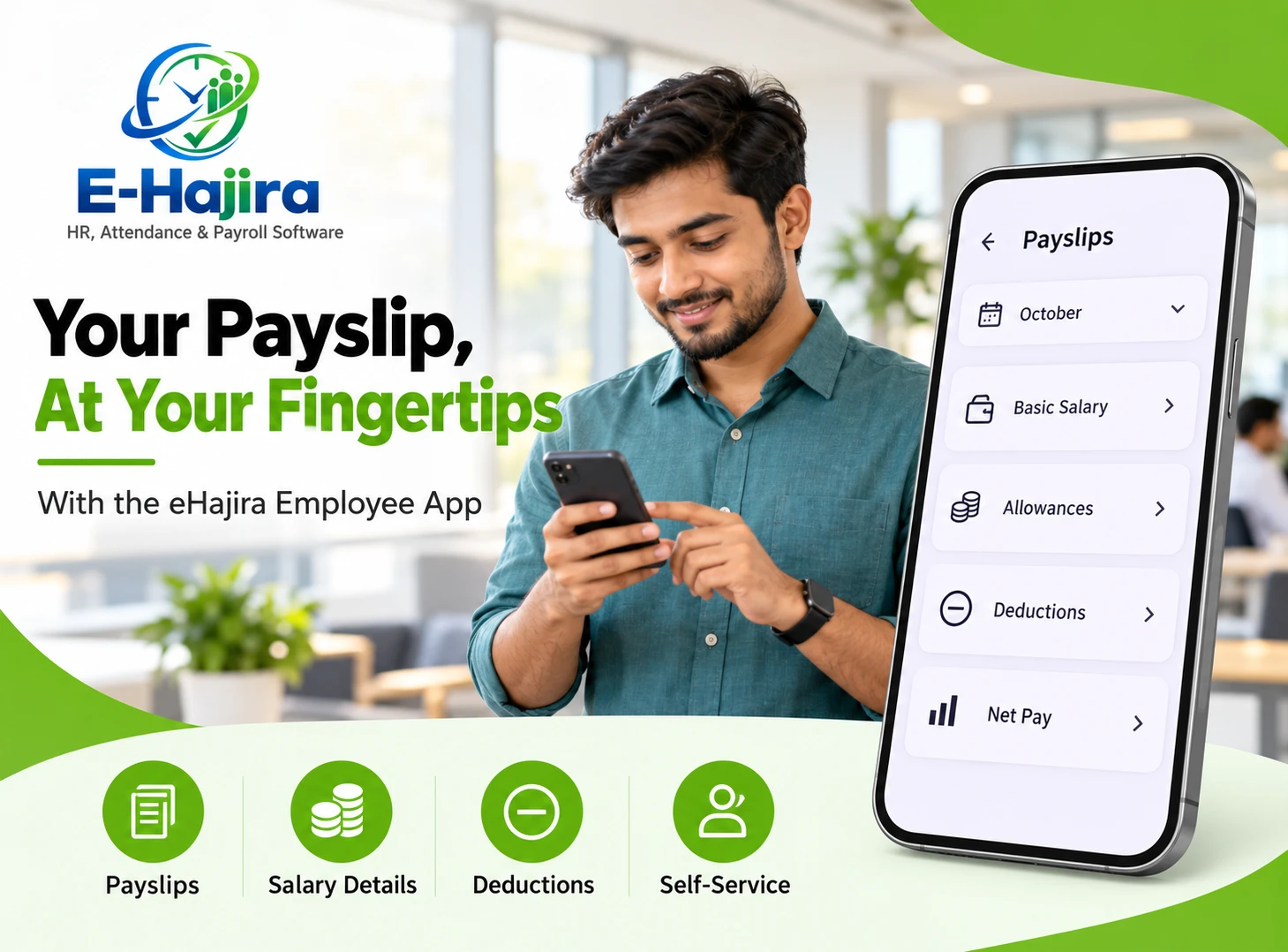
The Payslips option gives employees a clear place to access salary-related documents in the app experience. This can reduce the need to request a paper copy whenever an employee wants to review a previous month.
A payslip helps an employee understand the salary breakdown provided by the employer. When a figure needs clarification, the employee can refer to the relevant document while speaking with HR or the payroll team.
Published eHajira packages describe payslip generation and employee self-service. The available viewing, downloading or sharing options should be checked in the organization’s configured app.
Employees should also understand that a payslip is a record of the payroll outcome. Questions about calculations or payment status should be directed to the authorized payroll team.
Attendance and Mobile Check-In
Attendance connects an employee’s working day with schedules, leave and payroll preparation. eHajira’s published Premium packages describe mobile app access with GPS or geo-fenced check-in.
A geo-fenced process uses an approved location boundary as part of the check-in arrangement. Its usefulness depends on how the organization configures the workplace and communicates the rules.
For example, an employee visiting a designated worksite may need clear instructions about the approved attendance method. Someone who regularly works at a fixed office may use a different process, depending on the employer’s setup.
The screenshot provided for this article shows a location-sharing option; it does not itself show the check-in screen. The mobile attendance capability is supported separately by the provider’s package descriptions.
How Daily Work Information Connects with HR
The employee experience becomes more useful when work information is understandable to both employees and administrators. A roster explains the expected schedule, leave records explain an approved absence, and attendance information helps HR review the working period.
eHajira’s published materials describe attendance, leave, shift and payroll as related areas of workforce management. This does not mean every menu action automatically changes every other record.
For example, submitting a shift request should follow the organization’s approval process before an employee assumes the schedule has changed. Similarly, a leave request should be reviewed according to company policy.
The app provides entry points for these activities; the organization’s configuration and decisions give them operational meaning.
A Practical Example for a Field Employee
Consider a hypothetical employee working for a maintenance company in Dhaka. During the morning, the employee checks the work tasks available through the app and confirms the day’s assigned activity.
At a customer location, the employee follows the organization’s agreed location-sharing and photo-reporting process. If travel-related information is required, the employee uses the conveyance process established by the company.
Later in the week, the employee checks the roster and submits a request for leave. At month-end, the employee reviews the available payslip and contacts payroll if clarification is needed.
This is an illustrative workflow based on the menu options shown. Exact actions and approvals depend on the employer’s configuration.
A Practical Example for a Shift-Based Business
A retail business in Chattogram may have employees working different schedules across the week. The manager publishes or communicates the approved roster, and employees use the roster-related process to understand their assignments.
If an employee needs a shift change, the request should include enough context for the manager to make a decision. Until that decision is confirmed, the original schedule remains the reliable reference.
The same employee may use the leave option for a planned absence and review a payslip after payroll is completed. These interactions become easier to explain when the employer uses consistent terminology across the app and workplace policies.
A pilot with one branch can help the business identify unclear instructions before extending the process to other locations.
Benefits for Employees
A well-configured employee app gives staff members a more recognizable way to find routine work information. Employees spend less time asking which form to use or where a request should be directed.
The benefit is especially visible when employees work away from a central office. Access to task, roster and HR-related options on a phone can make it easier to follow the organization’s process throughout the day.
Employees also benefit from clarity. A roster, leave request or payslip should be understood in the context of the employer’s decisions and policies.
Training remains essential. A short introduction using realistic examples can help employees understand what each menu is for and what happens after they submit information.
Benefits for HR Teams and Managers
HR teams and managers benefit when routine information arrives in an organized and consistent manner. A recognizable process makes it easier to review requests, answer questions and identify incomplete information.
Managers should establish clear response responsibilities. Employees need to know who reviews a leave request, who handles a roster question and who can address a problem with a payslip.
The app can support these interactions, but managers remain responsible for decisions and follow-up. A system entry is useful only when the right person reviews it and communicates the outcome.
Organizations should also make sure that staff who do not regularly use smartphones understand the approved alternative or support process.
Getting Started with the eHajira Employee App
A good rollout begins with the activities employees actually need. An office team may first focus on leave and payslips, while a field team may prioritize tasks, location sharing and photo reports.
The employer should confirm the selected package, user permissions and available app functions. It should also explain company policies for schedules, travel information and work-related location use.
Testing with a small group is useful. Employees can practise a representative task, review a roster and ask questions about the information they see. Managers can then identify unclear instructions before a wider launch.
The result should be a process employees understand and managers can support consistently.
Frequently Asked Questions
1. What is the eHajira employee app?
The eHajira employee app provides a mobile experience for selected work and HR activities. The screen shared for this article includes tasks, conveyance, location sharing, photo reports, roster, leave and payslip options. Availability depends on the organization’s setup.
2. Can employees manage daily tasks through the app?
The shared screen includes a My Tasks option. Employees can use the task area provided in their organization’s configuration. The exact task fields, update options and manager-review process should be explained during rollout.
3. What is the Conveyance option used for?
The menu provides an entry point for work-related conveyance activities. Employers should explain their travel policy and demonstrate the available form and review process. Receipt handling or automatic reimbursement should not be assumed without confirmation.
4. Can employees share their location?
Yes. The shared app screen includes Location Sharing. The employer should explain when employees are expected to use it and who can access the information. Continuous tracking and retention periods are not established by the screenshot.
5. What are Photo Reports?
Photo Reports are an app menu option for photo-related work reporting. They may be useful when an employee needs to provide visual context for a field activity. The organization should define what information is appropriate and how reports are reviewed.
6. Can employees check their roster?
The screenshot shows a My Roster option with a reference to shift requests. Employees should use the roster information made available by their employer and follow the organization’s process when they need clarification or a schedule change.
7. Does a shift request automatically change the schedule?
The screenshot does not establish automatic approval. Employees should treat a request as pending until the authorized person confirms the outcome. The employer should clearly explain the review process and how approved changes are communicated.
8. Can employees request leave through eHajira?
The app screen includes a Leave option, and published eHajira materials describe a leave application and approval workflow. The available categories, balances and approval arrangements depend on the employer’s policies and configuration.
9. Can employees access payslips?
The shared screen includes a Payslips option. eHajira’s published materials also describe payslip generation and employee self-service. The exact viewing and download options should be confirmed in the deployed app.
10. Does eHajira support mobile attendance?
Selected published packages describe mobile access with GPS or geo-fenced check-in. The employer should confirm which attendance method applies to each role and location. Mobile attendance and the screenshot’s location-sharing menu should be understood as related but distinct functions.
11. What is geo-fenced check-in?
Geo-fenced check-in uses an approved location boundary as part of an attendance process. The organization determines the configuration and communicates the applicable rules. Employees should know which locations are approved and whom to contact if a check-in does not work.
12. Can field employees use the app?
The displayed tasks, location-sharing and photo-report menus are relevant to field-oriented workflows. The employer should define how those options support assigned work and ensure that employees understand the expected reporting process.
13. Is the app suitable for shift-based organizations?
Published eHajira packages include shift and roster management, and the screenshot shows a roster and shift-request option. A shift-based employer should demonstrate its own schedules and approval process before introducing the app to all employees.
14. Can employees correct an inaccurate payslip themselves?
The reviewed information does not establish employee self-editing of payroll documents. Employees should report a concern to the authorized HR or payroll team. Corrections should follow the employer’s approved payroll review and authorization process.
15. Are all menu options available in every package?
Not necessarily. Published eHajira offerings vary by package, and an employer may also configure user permissions. Organizations should confirm the features included for their employees before communicating a complete list of available actions.
16. Can managers see the information employees submit?
The manager’s view depends on the configured workflow and permissions. Employers should demonstrate who receives task updates, requests or reports. Employees should also know which person or team is responsible for responding.
17. Does location sharing mean employees are tracked all the time?
The screenshot confirms a location-sharing menu but does not establish continuous tracking. Employers should explain when location information is collected, who can access it and how it is used within the organization’s policy.
18. Can the app replace communication with HR?
The app can make routine information and requests easier to organize, but employees may still need human support. HR remains responsible for explaining policy, resolving discrepancies and responding to questions that require judgment.
19. How should an organization introduce the app?
Start with the features most relevant to a small group of employees. Demonstrate realistic activities, explain approvals and identify support contacts. Use feedback from the pilot to improve instructions before expanding the rollout.
20. How can businesses assess whether the app is useful?
Compare practical outcomes such as the time needed to answer routine questions, the completeness of requests and employee understanding of schedules. Gather feedback from staff and managers. Improvements should be assessed using the organization’s own experience.
A More Connected Working Day with eHajira
The eHajira employee app brings several daily work activities into a recognizable mobile experience. The menu shown includes tasks, conveyance, location sharing, photo reports, roster, leave and payslips, giving employees a practical starting point for routine interactions.
For businesses in Bangladesh, the strongest results come from combining these features with clear workplace policies, appropriate permissions and responsive managers. When employees understand what to do and who will review their information, the app can support a more organized working day.